


The Kidiverse mascot, a small white robot with a leaf sprout and a red heart, waving

NexOma Labs · Camera-driven active play

Your child’s body
is the controller

Arms up, and the sky answers.

A phone propped across the room watches a child move, a drawn character copies them, and a world moves back. Arms overhead gather the storm. A pointed arm sends a comet across space. A jump shakes the valley under the dinosaurs. No headset, no console, no new hardware — the camera is already in the house, and nothing it sees is recorded, saved or sent.

  • Nine worlds
  • Free · no account · nothing to buy
  • Coming soon to the App Store

The gap

Screen time is sitting time

A parent hands over a tablet and the child stops moving. Parents are not confused about what is wrong — they are short of options, and each option fails in a specific way.

Movement videos~$10 / month

The screen never knows the child is there. A child can sit down halfway through and nothing changes. Performance without response.

Dedicated hardware$299 + $89 / year

It genuinely works — and asks a parent to buy new hardware to solve a problem caused by hardware they already own.

Console fitnessConsole required

Needs a console in the room, and a console bought before a child can start.

Camera apps on phonesThe nearest thing

They prove the idea works on a phone. The tier is thin and indie, and nobody well-made owns it.

The open gap is responsive, camera-driven active play on hardware already in the house.

The spine

One loop, every world

Every Kidiverse world runs the same four steps. A new world is mostly content, not mostly engineering — which is the entire reason the scene framework exists.

  1. 01

    Camera

    A phone propped across the room, landscape, watching the whole body. Frames are processed in memory on the phone and discarded.

  2. 02

    Body tracking

    Pose and hand landmarks — shoulders, elbows, wrists, hips, knees, ankles. Twenty-two points, on-device. No face geometry, ever.

  3. 03

    Gesture

    Movement becomes meaning: gather, sweep, jump, spin, clear. Each one declares its own confirmation window, its refractory period, and who wins when two fire at once.

  4. 04

    The world answers

    Cloud thickens, wind turns, lightning forks, daylight returns. Fast enough that a child reads it as cause and effect — the whole difference between this and a movement video.

Try it here

Move the sky

Pick a gesture. The sky answers with the same mapping the app uses — this is the browser drawing it, not a recording.

world state 0.00 storminess 0.00 wind 1.00 daylight
Lightning is capped at three flashes a second here, exactly as it is in the app — a photosensitivity limit that lives in world logic, not in the animation.

The library

Nine worlds, one engine

Every world after the first was built on the framework the first one earned. Same gesture recognition, same framing, same session lifecycle — different meaning. In each one the mascot waits at the edge, so the middle of the screen always belongs to the child.

A flat-vector jungle clearing under an open sky, the setting for Weather

World one

Weather

A valley, a sky, and a child who owns it. Arms overhead gather cloud until it is heavy enough to rain. A sweep takes the rain sideways. A jump cracks thunder. Arms lowered and spread bring the sun back — and on a timer, night falls and the same moves mean something new.

The child plays as a drawn character that copies them. Their own picture is never put on the screen.


A deeper jungle valley framed by palms, the setting for Lab

World two

Lab

The child stands inside a sky and drives it. Circle a hand and a tornado winds up beside it. Sweep and the wind takes the rain sideways. Jump inside a storm you built yourself and it forks lightning.

The tornado has a home in the scene whether or not it can find your hand — which is why a television with no body data can still draw it correctly.

World three

My Body

A child stands in front of the camera and an anatomical figure moves with them. They press Skeleton, Muscles, Organs or Full Body, and the same tracked movement is shown through a different layer of the body.

Reach, crouch and turn cross into the world as meaning. Joint coordinates never do.

A deep-space scene of stars, nebulae and ringed planets, the setting for Space

World four

Space

The child has powers in space. Point, and a comet flies from their hand. Swipe, and the asteroids are shoved aside. Raise both hands and a cosmic storm lights up the stars and spirals around them. Open their arms, and a portal opens behind them.

Every hand leaves a trail of star-light, and the stars and the dust lean toward it.

A prehistoric valley of ferns, a winding path and tall rock spires, the setting for Dinosaurs

World five

Dinosaurs

A prehistoric valley whose creatures answer the child. March on the spot and glowing footprints follow. Raise both arms and a dinosaur far off calls back. Hop and the ground stomps. Hold both hands out and a gentle giant lowers its long neck to eat from them — and the eggs under their feet rock, crack and hatch.

No full-screen flash in this world or in Space, so the three-a-second lightning limit has nothing to hold back.

Sunlight falling through clear blue water onto a coral reef, the setting for Under the Sea

World six

Under the Sea

A reef that swims to the child. Open both arms and a school of fish gathers. Point, and a dolphin leaps. Jump for a rush of bubbles, crouch to sink into the deep, and stir a hand to spin up a whirlpool.

A sunlit desert of dunes, cacti and an old stone arch, the setting for Desert

World seven

Desert

An adventure across the sand. Hop over rocks, duck under an arch and dig for buried treasure, step aside from the cactus, reach up to catch glowing energy, and stir a hand to whip up a dust devil.

Snowy mountains under the northern lights, with an ice arch and a snowman, the setting for Snow

World eight

Snow

The same adventure, frozen. Hop over snowballs, duck under the ice bridge, collect crystals, and when the snowstorm comes, freeze and stand perfectly still. Stir a hand and a blizzard swirls.

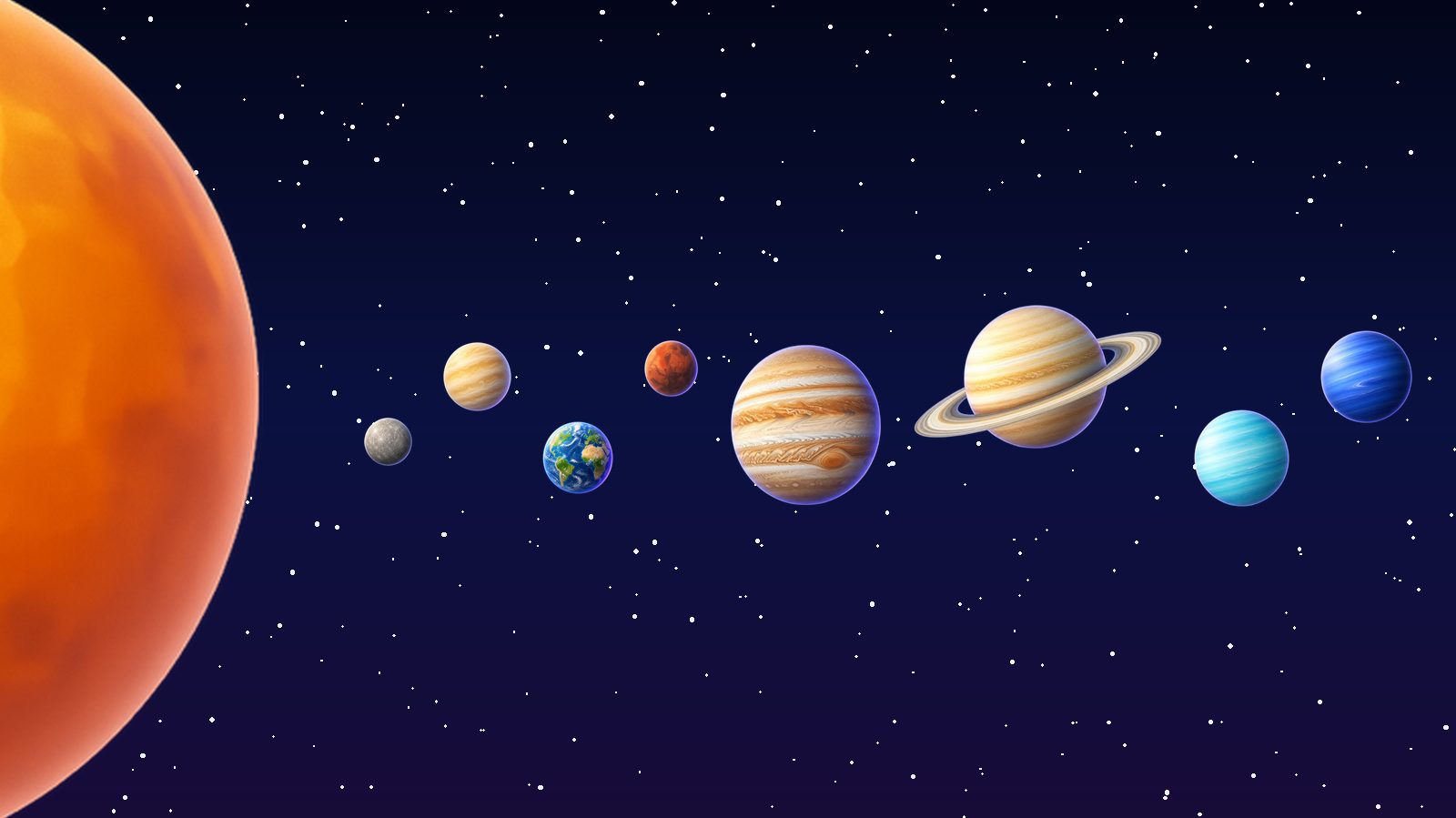
The Sun at the edge of a starry sky, with the eight planets in a line from Mercury out to Neptune, the setting for Planets

World nine

Planets

A tour of the Solar System. Point at a planet to learn something about it, swipe to travel from the Sun out past Neptune, raise both arms to show its moons, and open them wide to see how big it is next to Earth.

Meet the host

A friend at the edge of every world

Kidiverse has a mascot: a small robot with a leaf sprout and a heart. It waves a child in on the first screen, shows each world’s moves before play in pictures rather than words, and cheers when a game is done.

Inside a world it keeps to the edges — holding an umbrella in the storm, flying a kite in the sky, peering through a magnifier at the body — because the middle of the screen belongs to the child.

And a child can play as it. Before play they choose who copies them on screen: a stick figure, the mascot, or one of a cast of drawn characters — an astronaut, a footballer, a doctor in a hijab, a racer in his wheelchair, even a dinosaur. In My Body it is a skeleton. It is never their own picture.

  • The mascot cheering, arms up
  • The mascot holding an umbrella
  • The mascot looking through a magnifying glass
  • The mascot flying a kite

Rewarding effort

Stars for trying everything

Every world shows its moves on screen, and a child earns stars for doing what it asks. Each move counts once a round, so stars reward trying everything rather than repeating the easiest thing. Stars only go up: there is no penalty, no streak to lose, and no comparison with anyone.

How a round earns stars
In a roundStars
A move the world shows, the first time it is made1
A challenge the world sets, when it is met2
A body part opened in My Body, the first time1
Every move and every challenge done3 more
Playing the round to the end3 more

Stars are kept on this phone and nowhere else — a count, not a history. A grown-up can clear them in Settings, behind the parental gate.

The big screen

The phone watches.
The television plays.

On a television the child looks at a big screen at a natural playing distance instead of squinting at a propped phone, and a shared screen is the natural surface for a family playing together.

Kidiverse goes on the TV with the phone’s own screen mirroring — AirPlay on an iPhone, Cast or Smart View on Android. The TV button on the first screen shows a grown-up the steps. Start it once from the phone’s controls, stand the phone in landscape just below the TV, and it stays on in every world.

The TV shows exactly what this screen shows: a drawn character copying the child, never their camera picture. Your phone does the mirroring; Kidiverse records nothing and sends nothing itself.

For parents

What the camera does,
in plain words

A camera pointed at a child is the biggest thing a parent will hesitate over, and it deserves a straight answer rather than a paragraph of policy. These are the words the app itself shows, before the phone asks for anything.

Your child plays by moving, and a character on screen moves with them.

Kidiverse uses the camera to follow your child’s body — arms, legs, how they move — and a drawn character copies them: a stick figure, our mascot, or one of the drawn characters your child picks. Their picture is never put on the screen. The camera sees the whole room, as any camera does, and this phone uses what it sees, moment to moment, to follow the movement.

If someone else walks into view, the character may follow them instead.

The camera cannot tell one person from another. It follows one body at a time, so a grown-up or a brother or sister walking past can take over the character for a moment. Their picture is not shown either. To leave the game to your child, stay out of the camera’s view.

Nothing is recorded. Nothing is saved. Nothing is sent anywhere.

What the camera sees is used on this phone and then it is gone. There is no recording, no photo, no video file, and nothing is uploaded to us or to anyone else. Closing the app leaves nothing behind.

You can say no, and you can stop at any time.

If you decline the camera, Kidiverse cannot run — the whole game is your child moving. Nothing else in the app changes, and you can grant it later from your device settings.

  • Processed on the phone. There is no cloud vision pipeline, now or later.
  • Pose and hand landmarks only. No face geometry, no face mesh, no templates, and no facial recognition of any kind. Settled, not deferred.
  • No accounts, no third-party analytics, nothing to buy. Settings, these documents and every link out of the app sit behind a grown-ups’ gate: a multiplication question typed on a keypad, which locks after three wrong answers.
  • Head points are discarded before they reach the game. Not filtered later — they never cross out of the tracker.
  • The full details are in the Privacy Policy. Written for parents, with a short version a child can read.
  • The shipping build cannot contain the tools we test with. Observer surfaces and the network transport are resolved out of it, so “no code path capable of transmitting camera imagery exists” is something an inspector can verify by reading the build, not a promise about intent.

Honest ledger

Where it is today

Kidiverse is out on Android and on its way to iPhone. Rather than describe it as finished, here is the same split the team keeps internally — what has shipped, and what has not been proven yet.

In the app

  • Nine worlds on one shared scene framework: Weather, My Body, Lab, Space, Dinosaurs, Under the Sea, Desert, Snow and Planets.
  • A drawn character that copies the child — a stick figure, the mascot, or one of a cast of drawn characters — so no child’s picture is ever shown.
  • The mascot, and a move guide that shows each world’s moves in pictures before play.
  • Stars for every move and challenge, kept on the phone, and clearable by a grown-up.
  • A parental gate in front of the settings, the privacy policy, the terms and help.
  • Steps for playing on a TV with the phone’s own screen mirroring.
  • Gesture recognition with declared confirmation windows, refractory periods and deterministic arbitration when two gestures fire at once.
  • The parent-facing camera explanation, with a test that scans the whole repository for wording that has been ruled misleading.
  • A public build that provably cannot contain the validation tooling.

Not yet

  • The App Store. The iPhone version is in review, and is not available yet.
  • No frame rate or latency figure has been measured on a named device — which is exactly why no such number appears anywhere on this page.

Get Kidiverse

Free, with no account to make and nothing to buy inside. Prop the phone across the room, step back, and play.

Coming soon to the App Store for iPhone.